If you wanna manually change the cat paw's color, go here:
%appdata%\SampersonLabs\Programs\Desktop Cat Paw
the the color values are between 0 and 1, so a light grey would be 0.55, 0.55, 0.55, or a red would be 1.00, 0.00, 0.00. Try it out if you would like! (oh and yes, you can open a .funny file with notepad apparently.)
Yeah, I loved using it on my main monitor when drawing on my screenless tablet. But now that I have a monitor tablet, there was no way to move it to another screen.
I had the 1.2 version and was enjoying using it on stream then I started getting a black screen behind the paw. I saw there was the 1.4 version out so I downloaded that, but I'm still getting the black screen. Hopefully Samperson can find a fix for this soon! <3
can someone help me out understanding how to mess around with the settings of this app, id love for it to not stick to the middle of the screen and go all the way to the bottom when playing games
Please, add an option where we can disactivate that cat paw mark when we keep the mouse pressed for too long. It can really bother sometimes (especially if you use it to draw)
This might be the greatest thing known to man. The amount of greatness is so big i cant even loud it. I need 1 dollar and 72 cents and a labtop to buy this greatness.
This is the most useless piece of software that I can't live without anymore ❤️
Works best when I share the screen at work.
It should be build into the OS as far as I'm concerned 😆
But I'd like to ask about the possibility of a feature that I'd dearly love to have - do you think it would be possible to implement auto-disable/pause when another fullscreen/fullwindow is focused/topmost?
Not to be confused with maximised windows, I mean true fullwindow applications, like dx11/dx12 games in (borderless) fullscreen mode.
Currently I experience an issue when a game is opened, the Paw still makes sounds and use resources (GPU in particular) when a game is running topmost. So I need to first remember to disable the Paw before running a game and enable it afterwards, it's very inconvenient.
open the menu from system tray, click photo mode activate, then click photo mode: open folder. you can use the pictures there as a template and replace them with your own pictures or drawings
This is amazing, here are a few feature requests. Dual monitor support or 1 arm per monitor, Profiles for different images, a setting to auto hide the mouse menu on launch. The ability to change the image that is stamped on screen when you click. (currently the pink cat paw.)
VAC doesn't seem to care about the desktop paw application running at the same time as CS is running. So that's a bonus.
I'm not sure why, but when I run it, it just won't let me see my taskbar (It's set so it slides down (out of screen) when the mouse isn't hovering over it).
would be amazing if we had available alternative image options, other animals (like a dog's paw) included, a community to download images from, duel monitor set-ups (only shows on primary monitor), and not everyone knows (or has) the tools to be able to make their own creations how they'd like it. i'm struggling myself to find a suitable image that isn't watermarked. i could see myself using it if these were all sorted.
← Return to desktop toy
Comments
Log in with itch.io to leave a comment.
If you wanna manually change the cat paw's color, go here:
the the color values are between 0 and 1, so a light grey would be 0.55, 0.55, 0.55, or a red would be 1.00, 0.00, 0.00. Try it out if you would like! (oh and yes, you can open a .funny file with notepad apparently.)
crying and begging on my knees for someone to port this to linux... bought it thinking that proton tricks would work but it doesnt :wilted_rose:
sometimes it just breaks and paw goes under everything for some reason
You can change the paw to anything,this is awsome
Now we just need it so when we go across monitors it follows the mouse pointer
Yeah, I loved using it on my main monitor when drawing on my screenless tablet. But now that I have a monitor tablet, there was no way to move it to another screen.
I have the same problem, I wish it could be fixed
i wish that this thing was free ,'
I had the 1.2 version and was enjoying using it on stream then I started getting a black screen behind the paw. I saw there was the 1.4 version out so I downloaded that, but I'm still getting the black screen.
Hopefully Samperson can find a fix for this soon! <3
MAKE IT SO WE CAN NAME OUR OWN PRICE SO WE CAN GET IT FREE OR PAY 99K
i was looking for a free one :
same.
how do i adjust the cat paw offset
plz update macos
Linux when? I love this concept!
any way to change the pink cat paw stamp the cursor makes?
doesnt work. it appears in background processes on task manager, flashes the "suspended" status a couple times and closes
tried running both versions with and without admin privileges and neither worked, great to know i wasted 4 bucks
been using this for months and i feel like a cat 10/10
wonderful game!
i say its 1.49
3 dollars for a cursor, wow
can someone help me out understanding how to mess around with the settings of this app, id love for it to not stick to the middle of the screen and go all the way to the bottom when playing games
that cost 3 coins it is 2.99 UwU
lo compre y nunca se descargo ningun link
verifica tu email, tambien debe de estar en tu cuenta de itch.io
Really cool app, but no support for multiple monitors is sad(.
Show post...
wonderful game!
The app is really cool
Please, add an option where we can disactivate that cat paw mark when we keep the mouse pressed for too long. It can really bother sometimes (especially if you use it to draw)
I'd love to see a Linux port!
yes! a Linux port would be great! its the only thing stoping me from buying this (:
Love it!!!!!!!! Please add support for multiple monitors!
YEs that what i ws struggling with
This might be the greatest thing known to man. The amount of greatness is so big i cant even loud it. I need 1 dollar and 72 cents and a labtop to buy this greatness.
This is the most useless piece of software that I can't live without anymore ❤️
Works best when I share the screen at work.
It should be build into the OS as far as I'm concerned 😆
But I'd like to ask about the possibility of a feature that I'd dearly love to have - do you think it would be possible to implement auto-disable/pause when another fullscreen/fullwindow is focused/topmost?
Not to be confused with maximised windows, I mean true fullwindow applications, like dx11/dx12 games in (borderless) fullscreen mode.
Currently I experience an issue when a game is opened, the Paw still makes sounds and use resources (GPU in particular) when a game is running topmost. So I need to first remember to disable the Paw before running a game and enable it afterwards, it's very inconvenient.
I really love this. Is there a way to make custom patterns on the paw.. and if there is, can you explain how or drop a tutorial :> pls and thank you
open the menu from system tray, click photo mode activate, then click photo mode: open folder. you can use the pictures there as a template and replace them with your own pictures or drawings
This is amazing, here are a few feature requests. Dual monitor support or 1 arm per monitor, Profiles for different images, a setting to auto hide the mouse menu on launch. The ability to change the image that is stamped on screen when you click. (currently the pink cat paw.)
VAC doesn't seem to care about the desktop paw application running at the same time as CS is running. So that's a bonus.
Problem-
I'm not sure why, but when I run it, it just won't let me see my taskbar (It's set so it slides down (out of screen) when the mouse isn't hovering over it).
Also, yea pls second monitor support pls ahvjeneg
Aside from all that, I like it. Is cute.
absolutely awesome. i also agree with second monitor support and wanna suggest changing the paw print stamp to our own image. thank u
any way i can use it on a second monitor? great program otherwise
Did you ever figure it out?
Damn it, my cards keep getting declined,I really wanted this
:3
really awesome, i love the photo mode. i'd love if there were an option to disable the paw print on long press :)
What's the fix to this.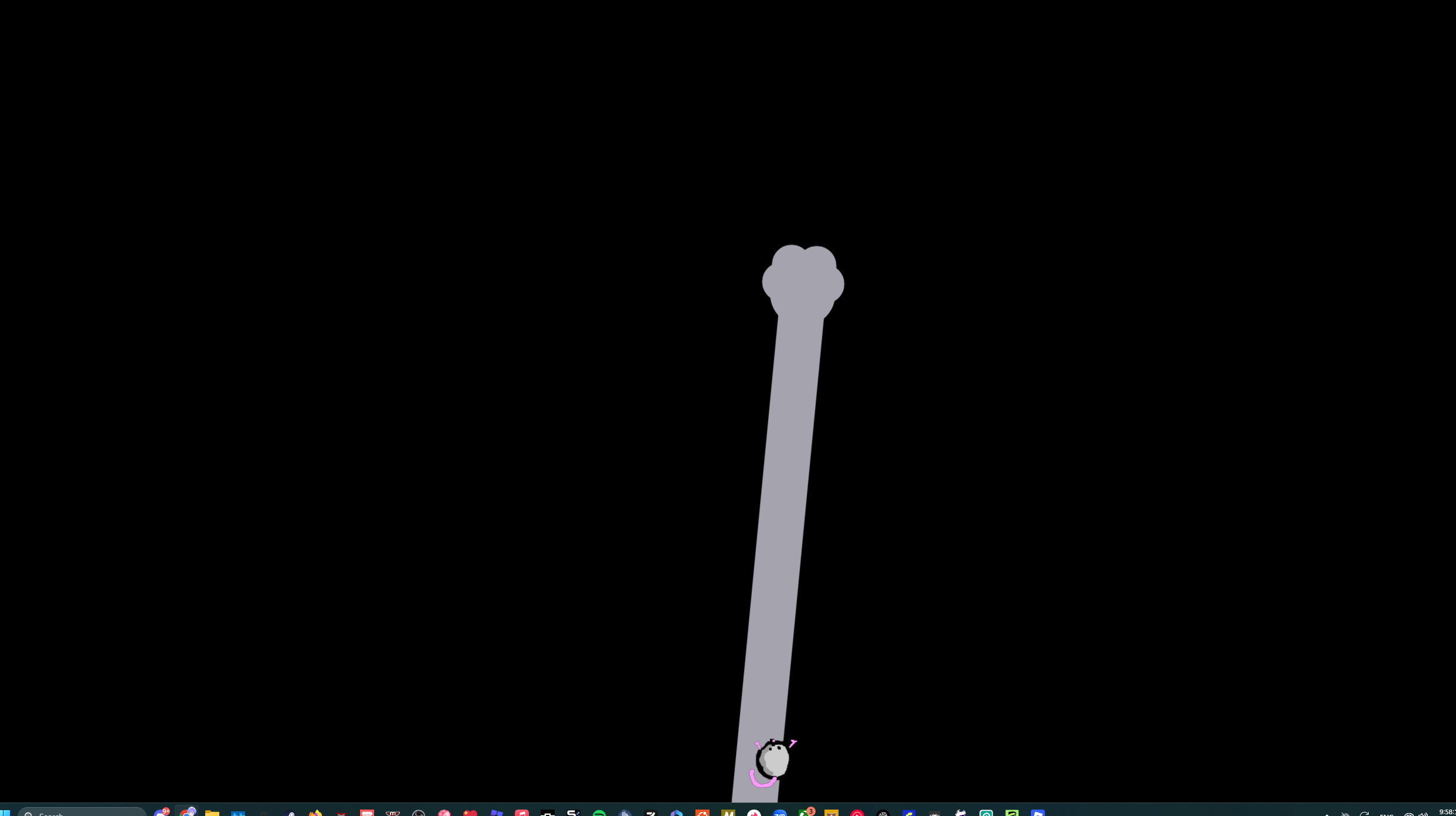
I love this!! the click sound is soo cute. a hide default cursor option would make it even better.
would be amazing if we had available alternative image options, other animals (like a dog's paw) included, a community to download images from, duel monitor set-ups (only shows on primary monitor), and not everyone knows (or has) the tools to be able to make their own creations how they'd like it. i'm struggling myself to find a suitable image that isn't watermarked. i could see myself using it if these were all sorted.
very fun and enjoyable kitty/10